Microsoft will only show ads from verified advertisers starting Aug. 1

Microsoft Advertising will only show ads from verified advertisers, starting Aug. 1, the company announced.

Why we care. If you haven’t completed the Microsoft Ads verification requirements, you’ll need to do so before Aug. 1 to avoid any ad delivery interruptions.

Timeline. The Microsoft Ads Advertiser Identity Verification program was announced in June 2022. Key upcoming dates to know:

  • July 1: New advertisers must be verified before Microsoft will serve any ads.
  • July 15: Contact Microsoft support if your account isn’t verified and you haven’t received an email from Microsoft about account verification.
  • Aug. 1: Microsoft Advertising will only serve ads from verified advertisers.

What users will see. All ads will show:

  • The advertiser’s name and location.
  • The business or individual paying for the ad.
  • Information about why they’re seeing an ad (e.g., targeting parameters).

Here’s what it looks like:

Ad Library

New Ad Library. Microsoft Advertising also announced it is launching a new Ad Library:

  • “All users will be able to view ads shown on Bing which have any impressions in the European Union. Users can search for ads in the Ad Library via the advertiser’s name or words in the ad creative. The advertiser’s details will be displayed in the Ad Library.”

Identity verification help. You can read the official help documentation here.

The post Microsoft will only show ads from verified advertisers starting Aug. 1 appeared first on Search Engine Land.

Original source: https://searchengineland.com/microsoft-advertising-show-ads-only-from-verified-advertisers-427936

TikTok opens its premium content feature, Series, to more creators

Creators who meet certain eligibility requirements can now apply to join TikTok’s premium content feature, Series.

Who is now eligible. Creators must be at least 18 years old and have:

  • An account that is at least 30 days old.
  • Posted four or more public videos in the last 30 days.
  • At least 1,000 “authentic” video views in the last 30 days.
  • 10,000 or more followers.
    • If you have less than 10,000 followers but meet the other criteria, you can apply by providing a link to premium content you’ve previously sold on other platforms via TikTok’s Creator Center.

The announcement. It was added today as an update to TikTok’s original announcement of Series.

What is Series. One TikTok Series can consist of up to 80 videos, each up to 20 minutes long. TikTok creators can set their own prices, anywhere from $1 to $190. All the content in a TikTok Series is behind a paywall.

Why we care. Creators now potentially have a new revenue stream, that rewards them for creating higher-quality content that attracts more viewers.

Dig deeper in TikTok introduces a “Series” feature enabling creators to sell premium episodes.

The post TikTok opens its premium content feature, Series, to more creators appeared first on Search Engine Land.

Original source: https://searchengineland.com/tiktok-opens-series-more-creators-427959

Q&A: My Credit Score Is 590. Is That Good or Bad?

Home Business Magazine Online

Credit is the engine that moves the modern world (for better and for worse), and more and more people rely on it to satisfy their most essential needs. Given this state of affairs, maintaining a good credit score has transitioned from being a matter of personal convenience to an absolute priority.

If you’re reading this, chances are you’re curious to know whether your credit score of 590 makes you eligible for decent funding options. Well, the answer will not be very encouraging, we’re afraid. While a 590 FICO technically could fall within the “Fair” range, it’s important to remark that a significant portion of the American population — roughly 67%, according to Experian — have a higher score than that. As a result, a great number of reputable lenders could view a “Fair” score unfavorably, making it more challenging to secure good financing.

In this short article, we’ll briefly analyze the context of a 590 score and its implications. But first, let’s get some of the basics straight:

Understanding Credit Scores

Credit scores are essentially three-digit numbers (ranging from 300 to 850) that gauge creditworthiness. A low score indicates poor credit habits while, conversely, people with a higher score tend to enjoy better and more affordable loan offers.

Creditors rely heavily on these scores as a standard metric to ascertain whether you’re responsible enough to handle debt and repay it on time. The task of calculating these scores falls under the purview of “credit bureaus” or “credit reporting agencies.” The community of lenders entrusts these organizations to collect and handle their prospective customers’ credit information (“credit history”) in exchange for a fee. In the U.S., the three major credit bureaus are Experian, Equifax, and TransUnion.

Your score is heavily affected by your credit history, which encompasses various factors such as the number and types of accounts and their duration, as well as your debt levels, repayment history (or lack thereof), total credit utilization, recent loan applications or inquiries, and more. These elements collectively make up the basis for the calculation.

Evaluating a Credit Score of 590

As disclosed earlier, credit scores range from 300 to 850, but, at the same time, this same range is divided into different segments, namely:

  • Excellent
  • Very Good
  • Good
  • Fair
  • Poor

As you can discern, “Fair” is just a step above “Poor,” so you’d still be in a credit nightmare, so to speak.

FICO scores in the range between 800 and 850 are typically deemed “Excellent,” while a “Good” credit score is one that passes the 670 threshold.

As we reach the bottom end of the FICO spectrum, we find that scores from 300 to 579 are “Poor,” and from 580 to 669 are classified as “Fair,” according to both Equifax and Experian. TransUnion is the only one — out of the three major bureaus referenced — that strays from this criterion and labels 590 as “Poor” (or anything below 661, for that matter). Consequently, if the lender abides by TransUnion’s parameters, chances are you’ll be shown the proverbial door or be subjected to more onerous terms and conditions in comparison. That said, a “Fair” score is still hardly something to celebrate.

Impact of a 590 Credit Score

Regardless of what we just explained, it’s no reason to feel discouraged. Even as you suffer from a “Poor” credit rating, you can still apply for a plethora of financing offers while you work towards improving it, keeping in mind the obvious caveats. These are:

  • Mortgage Loans: Many FHA loans are available for people with a minimum 500 FICO score but beware of the 2.3% differences in APR (which are quite noticeable in loans of this magnitude).
  • Auto Loans: You could get loans to buy a car even with a “Poor” or “Fair” credit, with APRs that can range from 3% to 10% and repayment terms of up to 84 months, give or take.
  • Personal Loans: Conditions vary considerably between personal loan offers, though people with 590 FICO scores must be prepared for APRs closely hovering around the 36% areas, as well as up to a whopping 10% origination fee.
  • Car Title Loans: These are among the most expensive, and arguably the riskiest loans you can obtain and arguably the quickest as well. They come with exceedingly short repayment terms (usually a month or less) and interest rates that could potentially soar into the three digits.

Keep in mind that maintaining a score below “Good” levels brings about repercussions that extend far beyond your ability to get financing. Case in point, some landlords can pull a rental applicant’s credit score (with the applicant’s consent, that is) to deliberate on whether to approve or deny the application.

Steps to Improve Your Credit Score

It’s never too late to get your credit back in shape, though it’s not an overnight endeavor by any stretch.

Perhaps the most important action you must undertake involves your already-existing debt. Pay it all off in full if possible. If you’re unable to settle all debts, we strongly advise you to at least get rid of the most expensive ones first to not accrue unnecessary interest (interest from credit card balances can spiral out of sight quickly, for example.) Also, check for any unpaid bills that you might have overlooked.

In addition to the above, peruse your credit reports carefully. If there’s an instance of potential fraud or identity theft, you ought to deal with that as soon as possible! Likewise, look out for any inaccuracies that might have crept into your report and contact your bank so that they help you sort them out. Even the most seemingly inconsequential mishap could have dire effects on your creditworthiness, so make sure you address them swiftly.

Rebuild Your Credit Score

Another effective way to revamp your credit score is by “rebuilding” it. This is attained with the help of specific financial products like a secured credit card or a credit-builder loan. Secure credit cards are relatively inexpensive credit rebuilders, all things considered, even though they’re not your safest bet if you need money badly.

Credit-builder loans open another path out of the lowest FICO tiers. These loans consist of money deposited into a locked savings account which you must unlock after you’ve made a certain number of monthly payments. These payments are subsequently reported to the credit bureaus in your favor.

As with the secured card option, credit-builder loans are designed with the primary goal of increasing your credit reputation and should not be viewed as an expedited way to get cash.

We should obviously emphasize the need to engage in responsible credit usage as you make your way towards rebuilding your credit history. There’s no use in trying to avail yourself of these products if you aren’t going to fulfill your repayment duties, whatever the reason may be.

If you’re unsure about the best route to take, you might want to seek guidance from a professional financial advisor or credit repair service, as they can provide the necessary expertise and support towards better credit health.

To Conclude

A 590 credit score is considered either “Fair” or “Poor,” which evidently falls short of the score you ought to have if you want access to more cost-efficient loans. While you could still theoretically obtain some loans, you should be prepared to cope with costly fees and interest rates.

If you wish to steer clear of those challenges, you should strive towards leveling up your score to attain the “ideal borrower” profile! Cultivate a mindset of responsible borrowing and manage your finances in a diligent manner that can gradually earn you positive ratings from reporting agencies.

The post Q&A: My Credit Score Is 590. Is That Good or Bad? appeared first on Home Business Magazine.

Original source: https://homebusinessmag.com/money/personal-finance/590-credit-score/

Netflix tops list of YouTube’s top 10 most popular video ads

With 39 million views, Netflix’s “Wednesday” earned the top spot on YouTube’s Cannes Ads Leaderboard 2023, a roundup of the top global video ads since last year’s festival.

Leading video ads trends. Music (Telecom Egypt, Qatar Airways, Orange Egypt, Burger King), authenticity (Peacock, Netflix, HBO Max/The Last of Us), cross-generational appeal (Bulgari, Peacock) and emotion (HBO Max, Bulgari and Qatar Airways) were the hooks that elevated the most popular video ads to earn more than 214 million video views, according to YouTube.

Why we care. YouTube is the most popular U.S. streaming service on TV screens, with an estimated 150 million unique viewers. It is also a profitable platform for creators. Video ads continue to be a great way to drive views by telling stories that connect with your target audience.

YouTube’s top 10 most popular global video ads

These were the top 10 most popular video ads globally from June 2022 to May 2023, along with how many views they have as of publishing.

  • “The ad ranking is determined using some of YouTube’s strongest signals of viewer choice – including factors like organic and paid views, watch time and audience retention (i.e. how much of a video people watched),” YouTube noted.

10. Burger King: Whopper Whopper (Extended)

9.3 million views

9. Peacock: Kevin Hart can’t stop attacking ‘old’ celebrities #shorts

9.1 million views

8. Bulgari: Unexpected Wonders – a movie by Paolo Sorrentino

9.3 million views

7. Orange Egypt: World Cup 2022 campaign – Crazy about Football

19 million views.

6. Galaxy S23 Ultra: Official Introduction Film

23 million views

5. Qatar Airways: C.H.A.M.P.I.O.N.S – official FIFA World Cup song featuring DJ Rodge and Cheb Khaled

23 million views

4. Max: The Last of Us

24 million views

3. Apple: Introducing iPhone 14 Pro

26 million views

2. Telecom Egypt: WE Summer Campaign 2022 – Akram Hosny

33 million views

1. Netflix: Wednesday Releases Thing In New York

39 million views

Dig deeper. YouTube year in review: The top 10 ads of 2022

The post Netflix tops list of YouTube’s top 10 most popular video ads appeared first on Search Engine Land.

Original source: https://searchengineland.com/youtube-ads-leaderboard-0622-0523-427874

Twitter’s U.S. ad revenue drops 59%

Linda Yaccarino today became Twitter CEO – and she’s got some hard work ahead of her. That’s because Twitter’s advertising revenue has declined 59% year on year, according to an internal presentation acquired by The New York Times.

Despite Elon Musk’s recent optimism about Twitter’s advertising progress, stating that “almost all advertisers have returned” and predicting profitability for the platform, the situation remains uncertain.

Something doesn’t add up. During the five weeks from April 1 to the first week of May, Twitter’s U.S. advertising revenue was $88 million. Twitter frequently fell short of its weekly sales forecasts, sometimes by as much as 30%, The Times reported.

Why advertisers are fleeing. A surge in hate speech and explicit content, along with an increase in advertisements for online gambling and marijuana products, caused concern

Twitter’s U.S. ad revenue is projected to drop by at least 56% each week compared to the previous year, according to the internal document.

Twitter’s advertising sector is crucial to its success and value, accounting for 90% of its revenue.

When he acquired Twitter for $44 billion in October and privatized the company, Musk pledged to create “the most respected ad platform.” However, he soon strained relationships with advertisers by terminating key sales executives, promoting a conspiracy theory on the platform and reinstating previously banned Twitter users.

How brands reacted. Several major ad agencies and brands, including General Motors and Volkswagen, suspended their Twitter ad investments. Musk had projected that Twitter’s revenue for 2023 will reach $3 billion, a reduction from $5.1 billion in 2021 when Twitter was a publicly-traded company.

Several of Twitter’s major advertisers, such as Apple, Amazon, and Disney, have reportedly reduced their spending on the platform compared to the previous year, according to three former and current Twitter employees. They also noted that high-value banner ads on Twitter’s trends page, typically purchased by large brands for promotional purposes, are frequently remaining unsold.

Twitter has faced public relations issues with major advertisers, including Disney. In April, Twitter mistakenly gave a gold checkmark, indicating a paying advertiser, to an unaffiliated account called @DisneyJuniorUK. The account then posted offensive content, causing Disney to demand an explanation and assurances from Twitter to prevent such errors in the future.

Why we care. Despite its challenges, Twitter is still a powerful platform that reaches a vast, global audience. The platform still has a user base of millions who engage daily, offering unique opportunities for brand visibility and interaction. 

Changes are starting. Yaccarino, the NBCUniversal executive recently appointed as Twitter’s CEO by Musk, is inheriting several challenges. She has taken over as CEO today – weeks earlier than expected, BBC reported.

Damage done? The new leadership under Yaccarino could signal upcoming changes in their approach to problematic content, potentially improving the advertising environment. Twitter has also added Joe Benarroch, formerly NBCUniversal’s senior vice president of communications, advertising and partnerships.

Advertisers should watch Twitter’s changes, as it may continue to be a potential key player in digital marketing strategies.

The post Twitter’s U.S. ad revenue drops 59% appeared first on Search Engine Land.

Original source: https://searchengineland.com/twitters-u-s-ad-revenue-drops-59-427883

Viddyoze Review

Review:

Viddyoze is a fully automated video animation maker for marketers and businesses. It has huge number of templates to choose from and they are all very well designed. In total there are 170 of these so I’m sure you will find something that suits your needs.

If you’re paying for expensive contractors or freelancers, then this could be for you. If you’re thinking of it then this could also be for you. You get high-class professional animations in just 3 clicks.

Everything can be matched with you branding very quickly and you don’t need previous experience with design or marketing to make it work for you. Moreover, its cloud based so can work from anywhere if you have the internet.

It has the latest effects and movie type filters to give you a high-quality finished result. This can improve all your shares, sign-ups and engagement massively.

Plus… Claim your FREE Bonus is you buy Viddyoze now!

Animated Graphics Firesale. Fantastic graphics you can use in your videos! Value $17

This bonus gives you extra graphic to help this software. You can never have enough imagery when making any video content.

1

For Father’s Day – TEXT Dad a Gift He Chooses from Sugarwish

Home Business Magazine Online

Father’s Day is almost here  ᅠJune 18, 2023! Looking  for last minute gifts (that he gets to choose)? Then Sugarwish has just the gift! This one-of-a-kind gift that can be sent via TEXT is next level gifting at its best! The ol’ saying that “the best way to a man’s heart is through his tummy” couldn’t be more true by gifting him with the Father’s Day Sugarwish Gift!

  • He gets to choose Candy, Cookies, Snacks, Coffee and Tea, Wine, and Wine Tastings* and then pick his favorites from that category!
  • You can send these gifts instantly (or schedule for any day you choose) via text or email.
  • Gifts start at $25 shipped.

For More information, on last minute Father’s Day Gifts that deliver,  visit Sugarwish.com (also affiliate friendly via ShareASale). Also check out other gifts for dad here .

The post For Father’s Day – TEXT Dad a Gift He Chooses from Sugarwish appeared first on Home Business Magazine.

Original source: https://homebusinessmag.com/businesses/for-fathers-day-text-dad-a-gift-he-chooses-from-sugarwish/

How Instagram ranks content in 2023: Feed, Stories, Explore, Reels, Search

Instagram has updated its resource explaining how ranking works across each part of its app – Feed, Stories, Explore and Reels.

Why we care. It’s critical to understand how Instagram ranking works if you want to maximize your visibility and engagement on this platform.

What’s new. Instagram Ranking Explained is an update to a 2021 post – so most of the changes are fairly minimal. Of note, Instagram:

  • Separated Feed and Stories into two separate sections.
  • Put a heavier emphasis on following its Recommendation and Community guidelines.
  • Added a section called Personalize your Feed and Stories, adding new tips on how to personalize Feed and Stories.
  • Expanded its discussion around Shadowbanning.

Instagram uses multiple algorithm

Instagram doesn’t use one algorithm to rank content. Multiple algorithms, classifiers and processes – each serving a specific purpose – determine what Instagram users see.

Instagram ranks content differently in different parts of the app (e.g., Feed, Stories, Explore, Reels and Search).

How Instagram ranks Feed

Instagram’s Feed is a mix of content from accounts that a user follows, recommended content and ads. There is also a mix of formats – videos, images and carousels.

Instagram said Feed ranking takes thousands of signals into account. The signals Instagram discussed all fall into three big buckets – the user, the creator and the post.

User signals:

  • Engagements – likes, shares, saves, comments and time spent interacting with a post.
  • Accounts the user has recently followed.
  • Accounts a user has recently liked or engaged with.
  • Format preference (e.g., Instagram will show more images if you engage more with images vs. videos or other formats).
  • History of interacting with another account.
  • Recent posts shared by the accounts a user follows.
  • Posts from accounts users doesn’t already follow that Instagram thinks they might be interested in. As Instagram explained:
    • “These are educated guesses at how likely you are to interact with a post in different ways. There are roughly a dozen of these. In Feed, the five interactions we look at most closely are how likely you are to spend a few seconds on a post, comment on it, like it, share it, and tap on the profile photo.”
  • Account preferences.

Creator signals:

  • Information about the post creator.
  • How many times people have interacted with that person in the past few weeks.
  • If the content follows Instagram’s Guidelines for Content Lowered in Feed.

Post information:

  • Popularity:
    • Number of likes.
    • How quickly people like it.
    • Number of comments.
    • Number of shares.
    • Number of saves.
  • Time it was posted.
  • Location.

Instagram also tries to avoid showing too many of these in a row:

  • Posts from the same person.
  • Suggested posts.

How Instagram ranks Stories

The “input signals” Instagram looks at for Stories include:

  • Shared by accounts you follow (that don’t violate Instagram’s Community Guidelines).
  • Viewing history (how often a user views an account’s stories).
  • Engagement history (how often a user engages with an account’s stories – eg., a like or a DM).
  • Closeness (a user’s relationship with the creator and how likely they are to be connected as friends or family).

How Instagram ranks Explore

Explore is where Instagram recommends images and videos from accounts a user doesn’t follow. Ranking in Explore is similar to ranking of Feed and Stories.

Instagram looks at:

  • A user’s past Instagram activity (e.g., post likes, saves, shares and comments).
  • A user’s past Explore activity (posts a user has liked, saved, shared or commented on; how the user has interacted with posts in Explore).
  • Post information (how many and how quickly other users like, comment, share and save a post). Instagram said “these signals matter much more in Explore than they do in Feed or in Stories.
  • The user’s history of Interactions with an account.
  • Creator information (e.g., the number of times users have interacted with that creator in the past few weeks).
  • Whether the content follows Instagram’s Recommendation Guidelines.

How Instagram ranks Reels

The most important signals Instagram looks at:

  • User activity (Reels a user has liked, saved, reshared, commented on, or engaged with).
  • The user’s history of Interactions with an account.
  • Reel information (e.g., popularity, the audio track, visuals in the video).
  • Creator information (popularity signals include number of followers, engagement level).

Reels can be less visible if they are:

  • Low-resolution.
  • Watermarked.
  • Muted or containing borders.
  • Mostly text.
  • Focused on political issues.
  • Previously posted on Instagram.

How Instagram Search works

Not mentioned in Instagram’s newest resource was how the Instagram search algorithm works. However, Instagram did that in a 2021 post, Breaking Down How Instagram Search Works.

What signals matter in Instagram Search:

  • The query. Instagram tries to match that to relevant usernames, bios, captions, hashtags and places.
  • User activity. Accounts a user follows, posts they’ve viewed and how often they have interacted with an account in the past. Instagram more often shows accounts and hashtags that a user follows or visits.
  • Popularity signals. The number of clicks, likes, shares and follows for accounts, hashtags and places.

Instagram’s SEO advice:

  • Choose an Instagram handle or profile name that’s related to the content of your posts.
  • Include relevant keywords and locations in your bio.
  • Use relevant keywords and hashtags in your captions.

You can also add up to five links in your Instagram bio.

The post How Instagram ranks content in 2023: Feed, Stories, Explore, Reels, Search appeared first on Search Engine Land.

Original source: https://searchengineland.com/how-instagram-ranks-content-feed-stories-explore-reels-search-427774

Content mapping: Who, what, where, when, why and how

Did you know that you can create content for every stage of the buyer’s journey?

This is how you ensure content creation is never a guessing game.

Your content can reach and impact your ideal customer whether they just discovered your brand through your blog or are stuck on your product/service page weighing a purchase – and every stage between those two bookends.

Every piece of content you publish can be a powerful motivator and educator that speaks to the heart of your prospect. 

Every blog, article, ebook, case study, landing page, infographic, video – you name it – can work hard to connect with your audience at the right place and time.

The key to ensuring this happens?

Content mapping.

What is a content map? 

A content map is a plan that details how your business will deliver content to your ideal customers no matter where they find themselves in the typical buyer’s journey.

In other words, a content map plots out exactly how your content will reach your audience at the right time and place.

It also shows you how to personalize your content for your specific personas along their buying journey.

Creating a content map alongside creating a content strategy is a genius idea.

What is content mapping?

Content mapping is the process of creating your content map – the plan that outlines your ideal audience, the actions they may take at each buying stage, and how your content aligns with these things to nurture them toward an ultimate goal.

The ultimate goal of content mapping depends on your business goals. However, the large overarching goal of this endeavor is to create a personalized content experience for your audience. 

Ultimately, a content map helps you plan how you’ll support, nurture, engage, and draw in potential customers no matter where they are in their buying journey.

Why should you do content mapping?

Content mapping is vital to ensure your content marketing is robust and evenly spread across the customer experience. 

It’s not just good for your business but also for your customers. Let’s dig into the benefits a bit more.

Create more relevant content for each buying stage

A good content marketing strategy will help you create targeted content to nurture an audience. 

A great content marketing strategy, one that includes content mapping, will help you create targeted content to nurture that audience at every stage of the buying journey.

Remember, the buyer’s journey is the process of research your buyer undertakes as they become aware of a problem, consider their options, and ultimately make a decision on what to do about it. 

Buyers don’t randomly decide to buy something – they come to that decision through a range of circumstances and actions. That’s the buyer’s journey.

HubSpot - Buyer's journey
Source: HubSpot

With content mapping, you ensure that you’re not neglecting your potential customer as they move forward on the path to purchasing. 

For example, if you have tons of blogs created for the awareness stage but none for the consideration stage, some of the leads you attracted to your brand initially might fall into that gap. You helped them define and understand their problem, but you didn’t show them how they could solve it or achieve their goals.

Another brand with consideration content could swoop in here, picking up where you left off. Now you’ve lost a potential customer.

In contrast, a content map helps you stay with that customer until they’re hovering over the “purchase” button in your website’s shopping cart. In fact, it probably helped get them to that point!

That’s powerful beyond belief.

Get more returns from each content piece

Content mapping also helps you identify a solid purpose behind each content piece you publish.

You’ll create each one with a specific intent that matches up with your goals, the target audience’s needs, and the buying stage they’re in.

That makes each piece pull its weight so much more. 

It’s a stark contrast between: 

  • Hitting “publish” and praying the content helps your business in some way.
  • Or hitting “publish” and knowing exactly what that piece has the potential to do, and probably will do, in terms of results.

Get more engaged, invested, loyal customers

When you provide great content at every stage of your buyers’ journeys, what do you think will happen?

The engagement, connection, and affinity you build will lead to equally engaged, invested customers.

Deliver a great product or service at the end of all that, and you’ll hook them utterly and completely.

This is how you create brand ambassadors. Raving fans. Delighted customers.

Ultimately, the point of content mapping is to ensure you’re helping your prospects at every step along the way. That amount of personalization and care is naturally going to produce customers who are wild about you.


Get the daily newsletter search marketers rely on.

<input type="hidden" name="utmMedium" value="“>
<input type="hidden" name="utmCampaign" value="“>
<input type="hidden" name="utmSource" value="“>
<input type="hidden" name="utmContent" value="“>
<input type="hidden" name="pageLink" value="“>
<input type="hidden" name="ipAddress" value="“>

Processing…Please wait.

function getCookie(cname) {
let name = cname + “=”;
let decodedCookie = decodeURIComponent(document.cookie);
let ca = decodedCookie.split(‘;’);
for(let i = 0; i <ca.length; i++) {
let c = ca[i];
while (c.charAt(0) == ' ') {
c = c.substring(1);
}
if (c.indexOf(name) == 0) {
return c.substring(name.length, c.length);
}
}
return "";
}
document.getElementById('munchkinCookieInline').value = getCookie('_mkto_trk');


How to do content mapping

Ready to create a content map?

Before you start, I recommend having a content strategy in place first. Your content strategy will be useful beyond belief because a lot of the work will be done for you – laying out your content goals, researching your audience, identifying and creating personas, and more.

If you don’t have a content strategy yet, you’ll still learn much from this guide. (It may even spur you on to create one quicker!)

Once your content map is complete, you’ll understand how to map each content piece you create to each stage of the buyer’s journey for your particular audience.

1. Who: Research your audience and create personas

Your target audience is the most important piece of the content mapping puzzle. Without intricate knowledge of them, you’ll be lost.

You need to understand their preferences, behaviors, habits and needs to deliver truly personalized content to them at the right time and place.

How do you build that knowledge? Through audience research. 

Audience research

Never guess what your audience is like. Your assumptions can help you at the outset, but you need to test those assumptions and make sure they’re accurate for equally accurate targeting and content mapping.

That’s what audience research is for. There are a few main ways to go about it:

  • Check data that already exists about your audience in studies, statistics, reports, and surveys. This is helpful if your business is new and you don’t have an established following yet.
  • Conduct your own surveys, polls, and interviews with your audience. Get data from real customers (if you have them) and also leads, your social media followers, or people who have expressed interest in what you sell. 

If you can, focus on getting insights from real people in your orbit. This will make your personas more accurate and more helpful.

Of course, if you already have a content strategy in place, you’re a step ahead. You probably already have done audience research and have one or more personas ready to go that distill that research.

Buyer personas

How do you compile the knowledge you gain through audience research and make it more usable? 

By creating buyer personas: fictional characters or avatars representing real data about your audience. Each persona is a conglomeration of the commonalities among your audience.

Buyer persona
Source: Venngage

Think about it: For most brands, you could probably describe a type of buyer who purchases from them. For example, busy stay-at-home moms who run to Starbucks between school drop-offs, meal prepping, and soccer practices. That, right there, is a buyer persona.

If you have multiple types of ideal customers, create personas for each one so you can map their different buying journeys to your content. For example, Starbucks might add a student persona to their roster or a professional.

2. What: Map out the buying stages of your persona(s)

After your personas are set, you can lay out the common buying stages each persona goes through, including their thoughts, goals, and challenges.

We briefly touched on the stages of the buyer’s journey earlier, but to reiterate, they are:

  • Awareness: The buyer is aware they have a problem, but they don’t know what it is yet, or they can’t name it specifically. They are experiencing symptoms of a problem.
  • Consideration: The buyer has pinpointed the problem they’re dealing with. They can name it and define it. Now they’re looking at possible solutions.
  • Decision: The buyer has decided which solution to use and is comparing the best providers or products that offer that solution. 

In each stage, your personas will have different concerns, needs, questions, and goals. Try to pinpoint these for each persona across each buying stage. 

For example, let’s return to the persona of the stay-at-home mom. Based on the challenges and goals we know she has from audience research, we can outline possibilities for her buying journey. Here’s just one:

Challenge: She’s struggling to find free time during the day. Goal: She wants to find time to indulge herself.

  • Awareness: “How do I take time for myself?” 
  • Consideration: “I should schedule a break for myself during the day. What can I do that would relax me?”
  • Decision: “Getting a delicious coffee drink would help me slow down while I treat myself. Where should I go?”

3. Where/when: Map out content types and topics for each stage of the buyer’s journey

Now that your personas are connected to buying stages, we can look at each stage individually to determine the type of content we can create to help them.

Think about:

  • How can you address your buyer’s needs and goals at each stage with content?
  • What keywords might they be using at each stage to research their problem and its solution?

Let’s go through each stage to see the common types of content you can use to target your buyers, whether in Awareness, Consideration, or Decision mode.

Note: Some types of content fit in multiple stages because they help more than one type of buyer.

Awareness content

Awareness content should seek to inform your audience. It should help them identify and understand a problem, why it matters, and/or what they should do next. 

Types of content: How-to guides, checklists, infographics, informative blogs, ebooks, and social media posts.

Examples of awareness topics: 

Consideration content

Consideration content should help your audience choose between various options. For example, you could teach them all possible solutions to a problem and compare/contrast them. Or you could educate them about a specific solution and why it’s the best one.

Types of content: how-to guides, product reviews and comparisons, case studies, white papers, tutorials, and webinars.

Examples of consideration topics:

Decision content

Decision content is all about convincing your audience that your product or service is the right one for their needs. This is not about sales pitches but more about presenting the value and benefits of what you offer in a way that demonstrates your expertise.

Types of content: product landing pages, testimonials and reviews, case studies, demos, and product features.

Examples of decision topics:

4. How: Use your content map to evaluate existing content/plan new content

One of the great things about a content map is that it can help you take a snapshot of all the content you’ve already produced and how each piece helps buyers.

This will help you notice gaps you need to fill – and reach more buyers in a stage you may be inadvertently ignoring.

Categorize old content by which buying stage it helps

First, look at all the content you’ve published and start categorizing it by the buying stage(s) it’s most likely to address.

  • If the content fits more than one category, choose the category it helps the most.
  • If the content fits nowhere, add it to a list of possible content pieces to update. You could potentially edit that piece to be more targeted to a specific buying stage.

Brainstorm new content topics using your content map

Once you’ve categorized your old content, you should have a good idea of the holes in your content strategy you need to fill to address different buying stages.

You should focus on filling those holes first. Use your content map to help you.

By now, your content map should have three types of information:

  • Your buyer personas.
  • The stages in your buyer journey mapped to content types.
  • The challenges, goals, and possible actions of each persona during each buying stage.

As you brainstorm new content topics, use your content map to ensure you create personalized, targeted content for every stage of your persona’s buying journey.

  • Look at your persona and what they need at each stage, including the words they’re using to search for what they need.
    • Research these needs in a keyword tool to find opportunities for optimizing content.
    • Use these terms to find related topics you could also address.
  • Look at the best content types that will help your persona at each stage.
  • Brainstorm a combination of content topics + formats that will touch your persona at the right time to help them move forward in their journey.

5. Document everything in your content map

A content map should be a physical reference you can refer to during the content creation process.

For that reason, document your content map in a way that’s easy to read and understand. Make sure you can continue adding to it as your content inventory expands, too.

For example, you could create a simple spreadsheet that lists your personas, their challenges and goals at each buying stage, and the types of content you should create to target them. Include both formats and topics.

Content map
Source: HubSpot

Start content mapping and create amazing customer experiences that lead to results

Content mapping can seem complicated at the outset.

But if you want to provide your customers with amazing content at every stage of their buying journey, you need a content map.

Learning how to create one is the hard part. 

Once you have the strategy down, you’ll use your content map in ways you never imagined to understand your persona better, get major insights about their buying journey, and come up with content that is personalized to a T for their specific needs.

This is as strategic as it gets. But, as we know in content, strategy = results.

The post Content mapping: Who, what, where, when, why and how appeared first on Search Engine Land.

Original source: https://searchengineland.com/content-mapping-who-what-where-when-why-and-how-427777

Get your B2B site unstuck: Top SEO tips for stagnant sites

If you’ve ever analyzed traffic patterns for a website, you know that organic traffic ebbs and flows over time. Even the most authoritative sites will have older pages that see traffic drops. 

With the recent run of algorithm updates, you might have a previously stable site that’s seen more turbulence (and even a longer-term flattening or drop) than it had in years past.

In this article, we’ll walk through steps you can take to reverse organic traffic drops or get your B2B site growing again if traffic has flattened.

Diagnosing organic traffic drops

First, it’s important to understand why you’re losing traffic. This is a good article that goes into greater depth on how to determine the real reason for a traffic drop (or flattening) which may be:

  • A loss in rank due to algorithm updates.
  • A drop in impressions due to a change in what’s displayed in search results (such as ads and search features like featured snippets, people also ask, etc.).
  • A drop in click-through rate due to a mix of the above reasons.

Additionally, you’ll want to dig deeper to see which specific pages are at issue. Identify the time frame you’re looking at:

  • If you’re seeing a steady decline, note the previous high and where the decline has been.
  • If traffic is flat, note the period where it plateaued.

From there, you can start to look at date-range comparisons such as:

  • The period where traffic dropped versus the previous period.
  • The low versus the previous high if there was a drop.
  • If traffic is flat: the most recent block of 28 days versus the 28 days where traffic was still growing.

As you dive into these comparisons, just be conscious of any seasonality and day-of-week differences that may mean your comparisons would be apples to oranges.

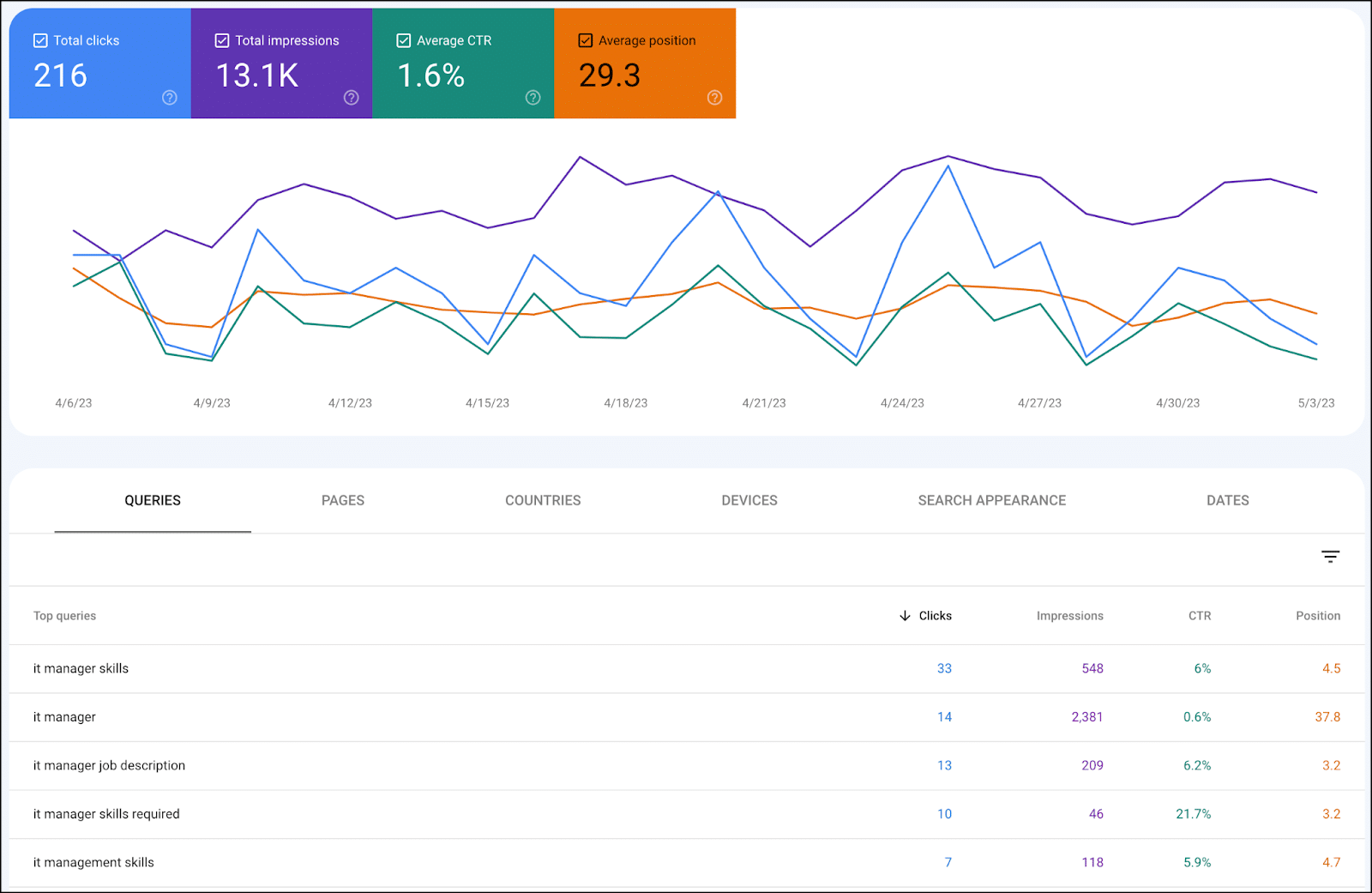
Once you know which date ranges you want to compare, you can start to see the pages that have lost the most traffic. You can do this in Google Search Console by clicking on date:

business to business

Then selecting compare and the date range you want to compare:

Click-through rate

Once you do this, you can then click pages and sort the data by click difference to see pages that have lost traffic (even if traffic has been flat, you’ll likely have pages that have lost traffic – on an older site with a lot of traffic that is publishing new content, this is likely where your “traffic leak” is coming from):

daily newsletter search marketers

Getting to the why: What’s changed?

Once you determine the pages that are losing traffic and that they are, in fact, losing rank (and aren’t just a victim of SERP changes), there are a number of steps you can take for each page that’s seen a drop to help regain traffic.

The first step is understanding why. To do this:

  • Identify the terms that have lost traffic on a page.
  • Go look at that SERP.

From your list of pages with the biggest page drop in GSC, you can then click the page (which creates a filter for that URL) and look at the queries, sorting by click difference in the same way you did for top pages:

Digital marketing

You can then go look at the search results for those queries where you lost traffic. A few things may be true:

  • More authoritative sites may be ranking.
  • Google’s perceived search intent for that result may have changed (e.g., you may have had a large guide to restaurant marketing that ranked for the query, but now many of the results are “restaurant marketing ideas” list-style responses), and your page is no longer a good match for that intent.
  • More specific content may now be ranking for a query where your broader page used to rank (e.g., your restaurant marketing guide used to rank well for Google Ads campaigns for restaurants, but now the SERP is full of guides that cover that topic exclusively).
  • You may have the intent matched perfectly, but there may now be a flood of competitors creating pages on the same topic, and your content (which might have been the only show in town a year or two ago) may no longer be up to snuff

This is a good jumping-off point as it gives you direction on what to prioritize as you’re updating content that’s lost traffic. A good process to work through here is to:

  • Export the pages that have lost the most traffic (ideally looking at a few different angles in terms of date ranges).
  • Note the traffic drop as well as the queries that lost traffic and what you found when you inspected the SERP (why did your pages see a drop)

Now you can prioritize these based on pages that saw the biggest drops. 

Importantly, if you are seeing drops on a certain content type, you want to do this inspection and update pages that are driving a lot of traffic even if they haven’t been hit yet. 

If they are of similar age and content type particularly, it’s likely only a matter of time.

Ideally, you’ll have a process for prioritization and repeatable cadence for updating older content.

B2B assets that see drops

Diagnosing traffic drops isn’t a function that’s specific to B2B sites, but some B2B asset types tend to be particularly vulnerable to traffic drops, specifically:

Technical and trade-specific terms 

Frequently, these are pages on your site that haven’t been updated in a long time and/or may be terms that you were early creating content around, but where other sites have created fresher, more thorough assets.

Recurring reports

If you put out an industry survey or “State of X” style report, those are often assets that can take a hit with time. 

They often rank for a category or a basket of terms when the asset is initially created. 

Then over time, other sites create more specific content that speaks to granular terms, and/or the search intent for the category term is something that shifts (i.e., a what is X page displaces a state of X report page).

Software or tool terms

Again, here assets like buying guides may be displaced with best-of lists (due to searcher intent).


Get the daily newsletter search marketers rely on.

<input type="hidden" name="utmMedium" value="“>
<input type="hidden" name="utmCampaign" value="“>
<input type="hidden" name="utmSource" value="“>
<input type="hidden" name="utmContent" value="“>
<input type="hidden" name="pageLink" value="“>
<input type="hidden" name="ipAddress" value="“>

Processing…Please wait.

function getCookie(cname) {
let name = cname + “=”;
let decodedCookie = decodeURIComponent(document.cookie);
let ca = decodedCookie.split(‘;’);
for(let i = 0; i <ca.length; i++) {
let c = ca[i];
while (c.charAt(0) == ' ') {
c = c.substring(1);
}
if (c.indexOf(name) == 0) {
return c.substring(name.length, c.length);
}
}
return "";
}
document.getElementById('munchkinCookieInline').value = getCookie('_mkto_trk');


6 steps for updating content that’s lost traffic

Once you’ve identified the specific pages losing content, there are a number of specific steps you can take to help address traffic drops.

1. Address searcher intent

The first step for updating content is to look at the search results. 

If we had an ultimate guide to restaurant marketing that had lost traffic for that term, we could look to the SERP to see the types of posts that are ranking there currently (the screenshot below is looking at the search results with the Ahrefs Google Chrome plugin enabled):

Address searcher intent

These are authoritative sites, and there’s also a mix of content types (a list of ideas, how to do restaurant marketing and a list of strategies).

As you continue to scroll down, you also see additional list style formats here:

 Address searcher intent

So looking at reworking this post to be more in line with what’s currently ranking or creating a net-new asset that targets this term with a similar approach is something to consider here.

2. Get to answers more quickly

Along the same lines, if your article “What’s a Successful Restaurant Turnover Rate?” has three paragraphs about what a turnover rate is, the history of turnover rates, etc., before answering the core question you want to pull this up to address the core topic quickly and get the searcher to the information they want.

Along those lines, you can often reformat content to get featured snippets (even using ChatGPT for this purpose).

An obvious best practice for updating old content is updating broken links and refreshing any dated post information.

4. Add relevant subsections and multimedia

Looking for related topics, answering people also ask questions and related questions you can mine from tools like Ahrefs or Also Asked, and topics covered in other pages that are ranking that yours doesn’t have covered are all good ways to update content.

You can also look at the queries losing traffic and consider building new subsections to address these queries.

These updates are also a great opportunity to introduce:

  • More relevant images (like charts/graphs, useful visualizations that will enhance your post and improve engagement metrics).
  • Embedding relevant video (whether its video you’ve created, or embedding a relevant video created by someone else)
  • Embedding relevant social media embeds (even for B2B content there’s often content on platforms like LinkedIn or Twitter that will be relevant and will make your content fresher and more dynamic)

5. Add FAQs

Adding an FAQ section can be a great way to address questions you want to target, and leveraging FAQ schema can significantly impact click-through rates. 

This provides you with some additional SERP real estate (particularly if one of the areas that has changed is how prominent your listing is in relation to other listings).

Often a post or page that’s lost traction over time has a number of unaddressed opportunities for internal links.

If you don’t have a more thorough process for inventorying internal links, doing a site search for your domain and the target term can be a good quick-and-dirty way to find internal linking targets to add links from for your page:

Add internal links
Note: This is just a random example of a site that has a restaurant marketing guide ranking on the second page. I don’t know if they have or haven’t lost traffic for this phrase or to the guide.

Addressing time stamps

Addressing the time stamps on your pages can be a powerful tactic, particularly in technical niches or just B2B niches where information can become dated quickly. (For instance, where you’re dealing with turnover in terms of models for different equipment, standards for different regulations, etc.)

Particularly, we’ve found transitioning from publish dates to last updated time-stamps on blog posts and being conscious of what date-based information you expose on the page can have a major impact on organic traffic.

Updating title tags

Loking at the SERP for the types of title tags that are ranking, thinking about the query intent, and finding a way to address query intent while standing out in your title tag can also be a difference maker here. 

This can be particularly powerful on older posts if you notice that you have been using a specific title tag formula and the click-through rate across a content type has waned or stagnated.

You can even leverage ChatGPT for help re-writing title tags.

Address topical authority

Google recently posted about an existing system for assigning topic authority.

One of the ways to combat decay for specific posts is to build out supporting content around a page that’s lost traffic, developing a more comprehensive topic cluster with more related and supporting content.

Taking an entity-based approach to thinking about how you’ve covered a topic, how it’s linked to and links to related topics, you can use the about and mention tags to highlight entities in your content via schema (more on that in this article).

Similarly, you may consider removing lower quality or irrelevant content (though proceed with caution and be sure not to delete content that’s helping you).

Technical audit and content audit

Keep in mind that all of this assumes you don’t have overarching issues like manual penalties and toxic links, crippling technical issues, or glaring content issues on your site. 

If you see site-wide 50%+ dips, you’ll want to look more at a comprehensive technical audit or content audit rather than what’s been outlined above.

The post Get your B2B site unstuck: Top SEO tips for stagnant sites appeared first on Search Engine Land.

Original source: https://searchengineland.com/seo-stagnant-b2b-sites-427783