It’s not guaranteed Googlebot will crawl every URL it can access on your site. On the contrary, the vast majority of sites are missing a significant chunk of pages.
The reality is, Google doesn’t have the resources to crawl every page it finds. All the URLs Googlebot has discovered, but has not yet crawled, along with URLs it intends to recrawl are prioritized in a crawl queue.
This means Googlebot crawls only those that are assigned a high enough priority. And because the crawl queue is dynamic, it continuously changes as Google processes new URLs. And not all URLs join at the back of the queue.
So how do you ensure your site’s URLs are VIPs and jump the line?
Crawling is critically important for SEO

In order for content to gain visibility, Googlebot has to crawl it first.
But the benefits are more nuanced than that because the faster a page is crawled from when it is:
- Created, the sooner that new content can appear on Google. This is especially important for time-limited or first-to-market content strategies.
- Updated, the sooner that refreshed content can start to impact rankings. This is especially important for both content republishing strategies and technical SEO tactics.
As such, crawling is essential for all your organic traffic. Yet too often it’s said crawl optimization is only beneficial for large websites.
But it’s not about the size of your website, the frequency content is updated or whether you have “Discovered – currently not indexed” exclusions in Google Search Console.
Crawl optimization is beneficial for every website. The misconception of its value seems to spur from meaningless measurements, especially crawl budget.
Crawl budget doesn’t matter
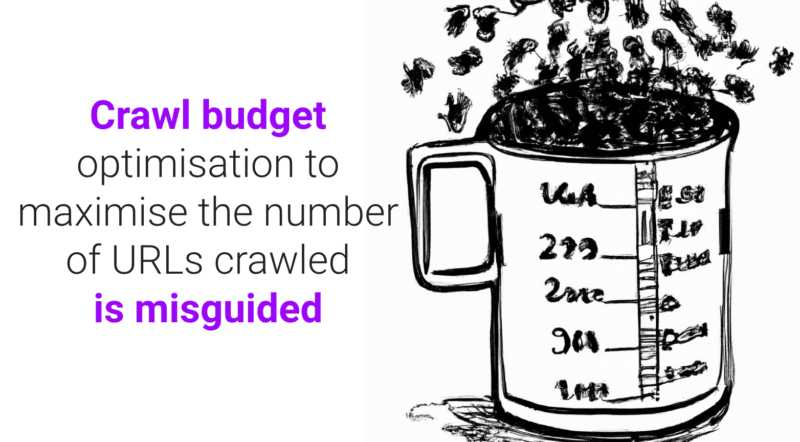
Too often, crawling is assessed based on crawl budget. This is the number of URLs Googlebot will crawl in a given amount of time on a particular website.
Google says it is determined by two factors:
- Crawl rate limit (or what Googlebot can crawl): The speed at which Googlebot can fetch the website’s resources without impacting site performance. Essentially, a responsive server leads to a higher crawl rate.
- Crawl demand (or what Googlebot wants to crawl): The number of URLs Googlebot visits during a single crawl based on the demand for (re)indexing, impacted by the popularity and staleness of the site’s content.
Once Googlebot “spends” its crawl budget, it stops crawling a site.
Google doesn’t provide a figure for crawl budget. The closest it comes is showing the total crawl requests in the Google Search Console crawl stats report.
So many SEOs, including myself in the past, have gone to great pains to try to infer crawl budget.
The often presented steps are something along the lines of:
- Determine how many crawlable pages you have on your site, often recommending looking at the number of URLs in your XML sitemap or run an unlimited crawler.
- Calculate the average crawls per day by exporting the Google Search Console Crawl Stats report or based on Googlebot requests in log files.
- Divide the number of pages by the average crawls per day. It’s often said, if the result is above 10, focus on crawl budget optimization.
However, this process is problematic.
Not only because it assumes that every URL is crawled once, when in reality some are crawled multiple times, others not at all.
Not only because it assumes that one crawl equals one page. When in reality one page may require many URL crawls to fetch the resources (JS, CSS, etc) required to load it.
But most importantly, because when it is distilled down to a calculated metric such as average crawls per day, crawl budget is nothing but a vanity metric.
Any tactic aimed toward “crawl budget optimization” (a.k.a., aiming to continually increase the total amount of crawling) is a fool’s errand.
Why should you care about increasing the total number of crawls if it’s used on URLs of no value or pages that haven’t been changed since the last crawl? Such crawls won’t help SEO performance.
Plus, anyone who has ever looked at crawl statistics knows they fluctuate, often quite wildly, from one day to another depending on any number of factors. These fluctuations may or may not correlate against fast (re)indexing of SEO-relevant pages.
A rise or fall in the number of URLs crawled is neither inherently good nor bad.
Crawl efficacy is an SEO KPI
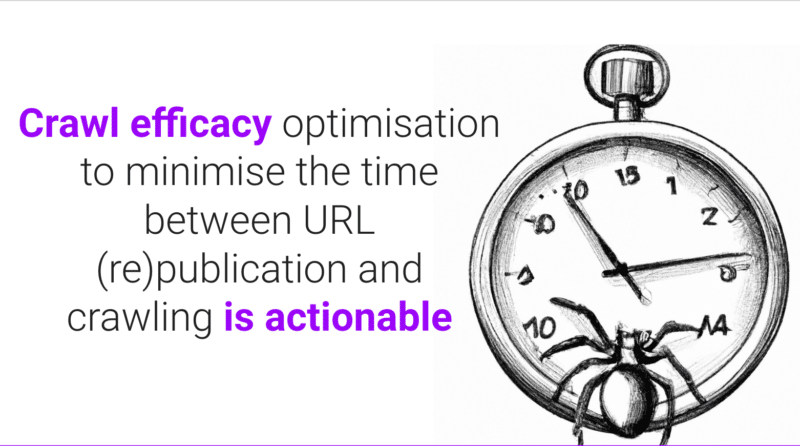
For the page(s) that you want to be indexed, the focus shouldn’t be on whether it was crawled but rather on how quickly it was crawled after being published or significantly changed.
Essentially, the goal is to minimize the time between an SEO-relevant page being created or updated and the next Googlebot crawl. I call this time delay the crawl efficacy.
The ideal way to measure crawl efficacy is to calculate the difference between the database create or update datetime and the next Googlebot crawl of the URL from the server log files.
If it’s challenging to get access to these data points, you could also use as a proxy the XML sitemap lastmod date and query URLs in the Google Search Console URL Inspection API for its last crawl status (to a limit of 2,000 queries per day).
Plus, by using the URL Inspection API you can also track when the indexing status changes to calculate an indexing efficacy for newly created URLs, which is the difference between publication and successful indexing.
Because crawling without it having a flow on impact to indexing status or processing a refresh of page content is just a waste.
Crawl efficacy is an actionable metric because as it decreases, the more SEO-critical content can be surfaced to your audience across Google.
You can also use it to diagnose SEO issues. Drill down into URL patterns to understand how fast content from various sections of your site is being crawled and if this is what is holding back organic performance.
If you see that Googlebot is taking hours or days or weeks to crawl and thus index your newly created or recently updated content, what can you do about it?
Get the daily newsletter search marketers rely on.
<input type="hidden" name="utmMedium" value="” />
<input type="hidden" name="utmCampaign" value="” />
<input type="hidden" name="utmSource" value="” />
<input type="hidden" name="utmContent" value="” />
<input type="hidden" name="pageLink" value="” />
<input type="hidden" name="ipAddress" value="” />
Processing…Please wait.
function getCookie(cname) {
let name = cname + “=”;
let decodedCookie = decodeURIComponent(document.cookie);
let ca = decodedCookie.split(‘;’);
for(let i = 0; i <ca.length; i++) {
let c = ca[i];
while (c.charAt(0) == ' ') {
c = c.substring(1);
}
if (c.indexOf(name) == 0) {
return c.substring(name.length, c.length);
}
}
return "";
}
document.getElementById('munchkinCookieInline').value = getCookie('_mkto_trk');
7 steps to optimize crawling
Crawl optimization is all about guiding Googlebot to crawl important URLs fast when they are (re)published. Follow the seven steps below.
1. Ensure a fast, healthy server response
A highly performant server is critical. Googlebot will slow down or stop crawling when:
- Crawling your site impacts performance. For example, the more they crawl, the slower the server response time.
- The server responds with a notable number of errors or connection timeouts.
On the flip side, improving page load speed allowing the serving of more pages can lead to Googlebot crawling more URLs in the same amount of time. This is an additional benefit on top of page speed being a user experience and ranking factor.
If you don’t already, consider support for HTTP/2, as it allows the ability to request more URLs with a similar load on servers.
However, the correlation between performance and crawl volume is only up to a point. Once you cross that threshold, which varies from site to site, any additional gains in server performance are unlikely to correlate to an uptick in crawling.
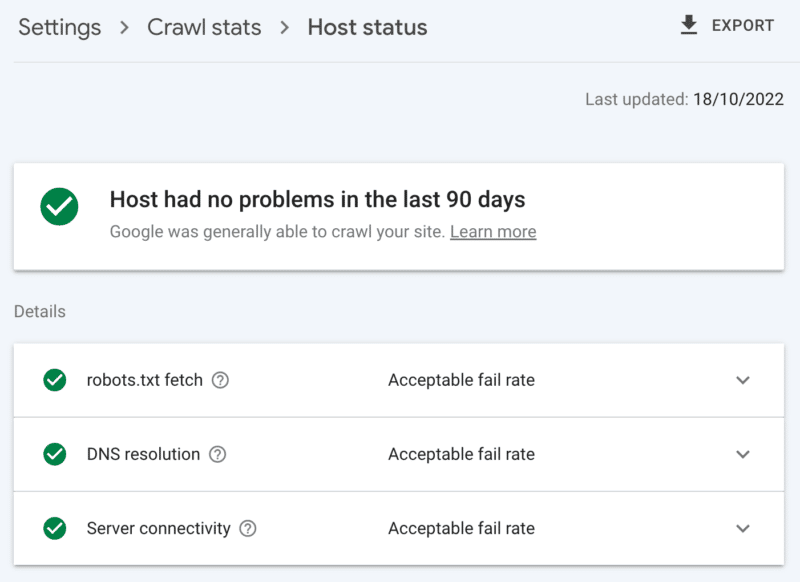
How to check server health
The Google Search Console crawl stats report:
- Host status: Shows green ticks.
- 5xx errors: Constitutes less than 1%.
- Server response time chart: Trending below 300 milliseconds.
2. Clean up low-value content
If a significant amount of site content is outdated, duplicate or low quality, it causes competition for crawl activity, potentially delaying the indexing of fresh content or reindexing of updated content.
Add on that regularly cleaning low-value content also reduces index bloat and keyword cannibalization, and is beneficial to user experience, this is an SEO no-brainer.
Merge content with a 301 redirect, when you have another page that can be seen as a clear replacement; understanding this will cost you double the crawl for processing, but it’s a worthwhile sacrifice for the link equity.
If there is no equivalent content, using a 301 will only result in a soft 404. Remove such content using a 410 (best) or 404 (close second) status code to give a strong signal not to crawl the URL again.
How to check for low-value content
The number of URLs in the Google Search Console pages report ‘crawled – currently not indexed’ exclusions. If this is high, review the samples provided for folder patterns or other issue indicators.
3. Review indexing controls
Rel=canonical links are a strong hint to avoid indexing issues but are often over-relied on and end up causing crawl issues as every canonicalized URL costs at least two crawls, one for itself and one for its partner.
Similarly, noindex robots directives are useful for reducing index bloat, but a large number can negatively affect crawling – so use them only when necessary.
In both cases, ask yourself:
- Are these indexing directives the optimal way to handle the SEO challenge?
- Can some URL routes be consolidated, removed or blocked in robots.txt?
If you are using it, seriously reconsider AMP as a long-term technical solution.
With the page experience update focusing on core web vitals and the inclusion of non-AMP pages in all Google experiences as long as you meet the site speed requirements, take a hard look at whether AMP is worth the double crawl.
How to check over-reliance on indexing controls
The number of URLs in the Google Search Console coverage report categorized under the exclusions without a clear reason:
- Alternative page with proper canonical tag.
- Excluded by noindex tag.
- Duplicate, Google chose different canonical than the user.
- Duplicate, submitted URL not selected as canonical.
4. Tell search engine spiders what to crawl and when
An essential tool to help Googlebot prioritize important site URLs and communicate when such pages are updated is an XML sitemap.
For effective crawler guidance, be sure to:
- Only include URLs that are both indexable and valuable for SEO – generally, 200 status code, canonical, original content pages with a “index,follow” robots tag for which you care about their visibility in the SERPs.
- Include accurate <lastmod> timestamp tags on the individual URLs and the sitemap itself as close to real-time as possible.
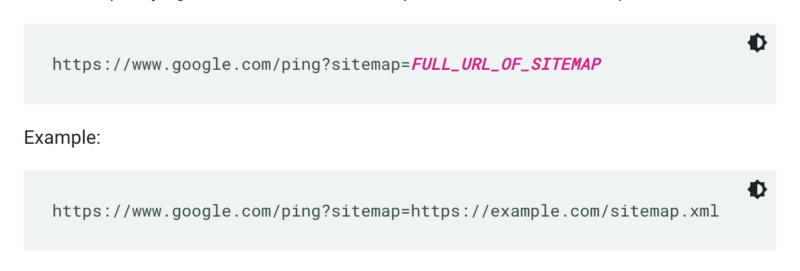
Google doesn’t check a sitemap every time a site is crawled. So whenever it’s updated, it’s best to ping it to Google’s attention. To do so send a GET request in your browser or the command line to:
Additionally, specify the paths to the sitemap in the robots.txt file and submit it to Google Search Console using the sitemaps report.
As a rule, Google will crawl URLs in sitemaps more often than others. But even if a small percentage of URLs within your sitemap is low quality, it can dissuade Googlebot from using it for crawling suggestions.
XML sitemaps and links add URLs to the regular crawl queue. There is also a priority crawl queue, for which there are two entry methods.
Firstly, for those with job postings or live videos, you can submit URLs to Google’s Indexing API.
Or if you want to catch the eye of Microsoft Bing or Yandex, you can use the IndexNow API for any URL. However, in my own testing, it had a limited impact on the crawling of URLs. So if you use IndexNow, be sure to monitor crawl efficacy for Bingbot.
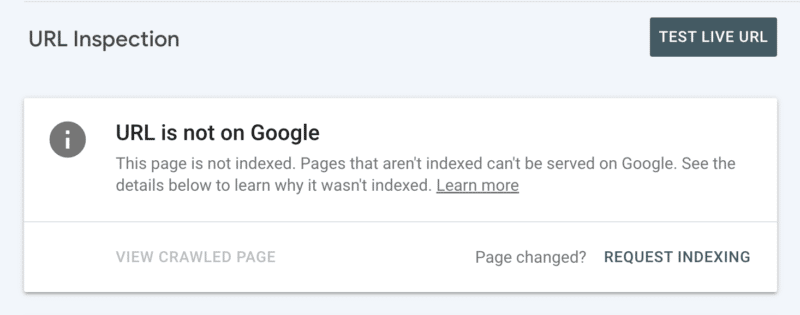
Secondly, you can manually request indexing after inspecting the URL in Search Console. Although keep in mind there is a daily quota of 10 URLs and crawling can still take quite some hours. It is best to see this as a temporary patch while you dig to discover the root of your crawling issue.
How to check for essential Googlebot do crawl guidance
In Google Search Console, your XML sitemap shows the status “Success” and was recently read.
5. Tell search engine spiders what not to crawl
Some pages may be important to users or site functionality, but you don’t want them to appear in search results. Prevent such URL routes from distracting crawlers with a robots.txt disallow. This could include:
- APIs and CDNs. For example, if you are a customer of Cloudflare, be sure to disallow the folder /cdn-cgi/ which is added to your site.
- Unimportant images, scripts or style files, if the pages loaded without these resources are not significantly affected by the loss.
- Functional page, such as a shopping cart.
- Infinite spaces, such as those created by calendar pages.
- Parameter pages. Especially those from faceted navigation that filter (e.g., ?price-range=20-50), reorder (e.g., ?sort=) or search (e.g., ?q=) as every single combination is counted by crawlers as a separate page.
Be mindful to not completely block the pagination parameter. Crawlable pagination up to a point is often essential for Googlebot to discover content and process internal link equity. (Check out this Semrush webinar on pagination to learn more details on the why.)
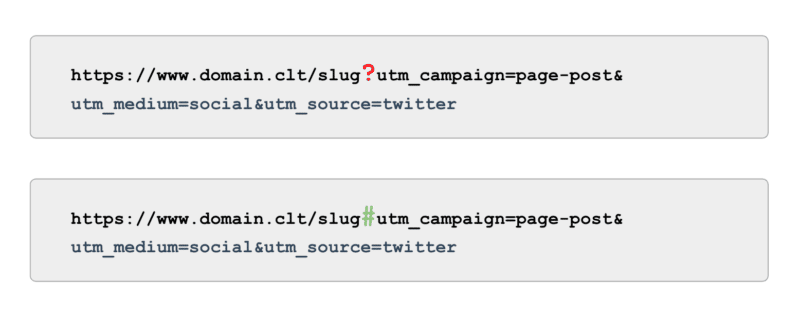
And when it comes to tracking, rather than using UTM tags powered by parameters (a.k.a., ‘?’) use anchors (a.k.a., ‘#’). It offers the same reporting benefits in Google Analytics without being crawlable.
How to check for Googlebot do not crawl guidance
Review the sample of ‘Indexed, not submitted in sitemap’ URLs in Google Search Console. Ignoring the first few pages of pagination, what other paths do you find? Should they be included in an XML sitemap, blocked from being crawled or let be?
Also, review the list of “Discovered – currently not indexed” – blocking in robots.txt any URL paths that offer low to no value to Google.
To take this to the next level, review all Googlebot smartphone crawls in the server log files for valueless paths.
6. Curate relevant links
Backlinks to a page are valuable for many aspects of SEO, and crawling is no exception. But external links can be challenging to get for certain page types. For example, deep pages such as products, categories on the lower levels in the site architecture or even articles.
On the other hand, relevant internal links are:
- Technically scalable.
- Powerful signals to Googlebot to prioritize a page for crawling.
- Particularly impactful for deep page crawling.
Breadcrumbs, related content blocks, quick filters and use of well-curated tags are all of significant benefit to crawl efficacy. As they are SEO-critical content, ensure no such internal links are dependent on JavaScript but rather use a standard, crawlable <a> link.
Bearing in mind such internal links should also add actual value for the user.
How to check for relevant links
Run a manual crawl of your full site with a tool like ScreamingFrog’s SEO spider, looking for:
- Orphan URLs.
- Internal links blocked by robots.txt.
- Internal links to any non-200 status code.
- The percentage of internally linked non-indexable URLs.
7. Audit remaining crawling issues
If all of the above optimizations are complete and your crawl efficacy remains suboptimal, conduct a deep dive audit.
Start by reviewing the samples of any remaining Google Search Console exclusions to identify crawl issues.
Once those are addressed, go deeper by using a manual crawling tool to crawl all the pages in the site structure like Googlebot would. Cross-reference this against the log files narrowed down to Googlebot IPs to understand which of those pages are and aren’t being crawled.
Finally, launch into log file analysis narrowed down to Googlebot IP for at least four weeks of data, ideally more.
If you are not familiar with the format of log files, leverage a log analyzer tool. Ultimately, this is the best source to understand how Google crawls your site.
Once your audit is complete and you have a list of identified crawl issues, rank each issue by its expected level of effort and impact on performance.
Note: Other SEO experts have mentioned that clicks from the SERPs increase crawling of the landing page URL. However, I have not yet been able to confirm this with testing.
Prioritize crawl efficacy over crawl budget
The goal of crawling is not to get the highest amount of crawling nor to have every page of a website crawled repeatedly, it is to entice a crawl of SEO-relevant content as close as possible to when a page is created or updated.
Overall, budgets don’t matter. It’s what you invest into that counts.
The post Crawl efficacy: How to level up crawl optimization appeared first on Search Engine Land.
Original source: https://searchengineland.com/crawl-efficacy-optimization-389085
Awesome post. It’s so good to see someone taking the time to share this information
thank, I thoroughly enjoyed reading your article. I really appreciate your wonderful knowledge and the time you put into educating the rest of us.
Thanks For This Blog, was added to my bookmarks.
Saw your material, and hope you publish more soon.
It’s a comprehensive, yet fast read.
Could not disagree with the main ideas. Wonder how things will develop over the coming years.
I’m so happy to read this. This is the type of manual that needs to be given and not the random misinformation that’s at the other blogs. Appreciate your sharing this best doc.
I like what you have to offer. Keep up the good work!
Thanks for sharing. I read many of your blog posts, cool, your blog is very good.
I enjoy your blog posts, saved to my bookmarks!
The sketch is tasteful, your authored material stylish.
you’re in reality a just right webmaster. The web site loading velocity is incredible. It sort of feels that you’re doing any distinctive trick. In addition, The contents are masterpiece. you’ve performed a great process on this topic!
Hi there, just became aware of your blog through Google, and found that it’s truly informative. It’s important to cover these trends.
What a great article.. i subscribed btw!
Very fine blog.
Abnormal this put up is totaly unrelated to what I was searching google for, but it surely used to be listed at the first page. I suppose your doing one thing proper if Google likes you adequate to place you at the first page of a non similar search.
Wow, amazing blog layout! How long have you been blogging for? you make blogging look easy. The overall look of your site is wonderful, let alone the content!
Greetings! This is my first visit to your blog! We are a collection of volunteers and starting a new initiative in a community in the same niche. Your blog provided us beneficial information. You have done a wonderful job!
Hey, I simply hopped over to your website by way of StumbleUpon. No longer one thing I’d normally learn, but I preferred your thoughts none the less. Thanks for making one thing worth reading.
This is really interesting, You’re a very skilled blogger. I have joined your feed and look forward to seeking more of your great post. Also, I’ve shared your web site in my social networks!
This is valuable stuff.In my opinion, if all website owners and bloggers developed their content they way you have, the internet will be a lot more useful than ever before.
Pretty impressive article. I just stumbled upon your site and wanted to say that I have really enjoyed reading your opinions. Any way I’ll be coming back and I hope you post again soon.
Enjoyed studying this, very good stuff, thanks.
I encountered your site after doing a search for new contesting using Google, and decided to stick around and read more of your articles. Thanks for posting, I have your site bookmarked now.
Simply want to say your article is as amazing. The clarity in your post is just great and i can assume you’re an expert on this subject. Fine with your permission allow me to grab your feed to keep up to date with forthcoming post. Thanks a million and please keep up the gratifying work.
These are some of the most important issues we’ll face over the next few decades.
This is an awesome entry. Thank you very much for the supreme post provided! I was looking for this entry for a long time, but I wasn’t able to find a honest source.
Are grateful for this blog post, it’s tough to find good information and facts on the internet
Took me time to read all the comments, but I really enjoyed the article. It proved to be Very helpful to me and I am sure to all the commenters here It’s always nice when you can not only be informed, but also entertained I’m sure you had fun writing this article.
I think it is a nice point of view. I most often meet people who rather say what they suppose others want to hear. Good and well written! I will come back to your site for sure!
Just a quick note to express my appreciation. Take care
This is really interesting, You’re a very skilled blogger. I have joined your feed and look forward to seeking more of your great post. Also, I’ve shared your web site in my social networks!
This is something that will need all of our combined efforts to address.
I have to say this post was certainly informative and contains useful content for enthusiastic visitors. I will definitely bookmark this website for future reference and further viewing. cheers a bunch for sharing this with us!
Good points – – it will make a difference with my parents.
you’re in reality a just right webmaster. The web site loading velocity is incredible. It sort of feels that you’re doing any distinctive trick. In addition, The contents are masterpiece. you’ve performed a great process on this topic!
Enjoyed reading through this, very good material. Thanks!
I want to see your book when it comes out.
When are you going to post again? You really entertain me!
Enjoyed reading through this, very good material. Thanks!
Hello this is a wonderful write-up. I’m going to e mail this to my friends. I came on this while searching on yahoo I’ll be sure to come back. thanks for sharing.
Hi, do have a e-newsletter? In the event you don’t definately should get on that piece…this web site is pure gold!
Thanks For This Blog, was added to my bookmarks.
Sweet blog! I found it while browsing on Yahoo News. Do you have any tips on how to get listed in Yahoo News? I’ve been trying for a while but I never seem to get there! Thank you
Our local network of agencies has found your research so helpful.
There is perceptibly a lot to identify about this. I consider you made some good points in features also.
A colleague in the field told me to check out your website.
I was suggested this website by my cousin. I am not sure whether this post is written by him as no one else know such detailed about my difficulty. You are wonderful! Thanks!
There most be a solution for this problem, some people think there will be now solutions, but i think there wil be one.
With this issue, it’s important to have someone like you with something to say that really matters.
This blog post is excellent, probably because of how well the subject was developed. I like some of the comments too though I could prefer we all stay on the subject in order add value to the subject!
Most often since i look for a blog Document realize that the vast majority of blog pages happen to be amateurish. Not so,We can honestly claim for which you writen is definitely great and then your webpage rock solid.
Good day! This is my first comment here so I just wanted to give a quick shout out and say I really enjoy reading through your articles. Can you recommend any other blogs/websites/forums that cover the same subjects? Thanks a lot!
Hi there, just became aware of your blog through Google, and found that it’s truly informative. It’s important to cover these trends.
Assume you are doing good linking to position you on the first pages of search engines.
Hello.This article was extremely interesting, particularly since I was searching for thoughts on this subject last couple of days.
Simply wish to say the frankness in your article is surprising.
I had fun reading this post. I want to see more on this subject.. Gives Thanks for writing this nice article.. Anyway, I’m going to subscribe to your rss and I wish you write great articles again soon.
Write more stories, more chapters.
슬롯 카지노
그리고… 가장 중요한 것은, 결핵은… 치료될 수 있습니까?
Nice post.Very useful info specifically the last part 🙂 Thank you and good luck.
Very Interesting Information! Thank You For Thi Information!
Good site! I truly love how it is easy on my eyes it is. I am wondering how I might be notified when a new post has been made. I’ve subscribed to your RSS which may do the trick? Have a great day!
It is perfect time to make some plans for the future and it is time to be happy. I’ve read this post and if I could I want to suggest you some interesting things or suggestions. Perhaps you can write next articles referring to this article. I wish to read more things about it!
I just couldnt leave your website before saying that I really enjoyed the useful information you offer to your visitors… Will be back often to check up on new stuff you post!
Hello there, just became aware of your blog through Google, and found that it is truly informative. I am going to watch out for brussels. I will appreciate if you continue this in future. Lots of people will be benefited from your writing. Cheers!
I have to disagree with most of the comments here, but maybe I’m just a contrarian.